 What Did the Doctor Say?
Your doctor talks fast. Now you'll remember every word.
Press record at your appointment. Your iPhone writes the transcript, turns it into a plain-language recap, and keeps it next to your symptoms, lab results and doctors. It is stored on your iPhone, not on our servers.
- Transcribed on your iPhone
- Locked with Face ID
- No ads. No tracking.
Patients forget 40 to 80% of the medical information they are given, much of it right away.
Kessels RP. Patients' memory for medical information. J R Soc Med, 2003.
Doctors have AI scribes. Now patients have one too, and it stays on your iPhone, not our servers.
Press record. Stay in the conversation.
Let the room know, tap once, and listen to your doctor instead of scribbling notes. The little exam room on screen reacts to the voices, so you can see it's hearing everything.
- Transcribed on the iPhone, and works without a signal once your language is downloaded
- Dozens of languages, picked before you start
- Don't keep the audio for doctors who'd rather not be recorded: only the words stay
The whole visit, in plain language.
When you stop, you get an overview, the key points, every medicine mentioned, what to do next and the questions to ask next time. Written on your iPhone, using Apple Intelligence on iPhones that support it.
- Medicines it hears are compared with your own list, so a dose change stands out
- The full transcript is one tap away
- Export a PDF to share with family
Whatever language the visit is in.
Mom's cardiologist speaks Spanish and you don't? The visit is transcribed in the language spoken, then translated to English right on the phone, so the whole family is on the same page.
- Original transcript, English translation and recap side by side
- Translation runs on the device
Show them exactly where it hurts.
Between visits, log what you feel the moment it happens. Tap the body map and the spot is named for you, like "left upper chest". Add how long it lasted, what you tried and a photo.
- Symptoms, moods and meals on one timeline, so patterns are easier to see
- A PDF for your doctor with your name, date of birth and the body diagram
Paper lab reports, read for you.
Snap the pages or pick photos and PDFs, put them in order, and save. The app reads every page, finds each test, marks values outside the printed range, reads the date, and suggests which of your doctors it came from.
- Multi-page reports read in the order you set
- Blood count, metabolic panel, lipids, thyroid and more
- Read on the iPhone, nothing uploaded
Know how your body is doing today.
Readiness and stress, worked out from your Apple Watch against your own 30-day normal: heart rate variability, resting heart rate, sleep and breathing. Two weeks at a glance, with your State of Mind entries alongside.
- Your profile and vitals filled in from Apple Health
- Insurance, conditions, medicines and allergies in one place
- A screening timeline suggested for your age and conditions
A second look at the numbers. Your name never leaves.
Want to know what your records point to? First, the iPhone removes the names, dates, contact details and record numbers it finds, before anything leaves the phone. Automatic removal can miss things, so next you read the exact text that would be sent, and only then does it go.
- Risk scores with the evidence behind each one
- Next steps framed as questions to bring to your clinician
- AI included, or add your own Groq, ChatGPT or Claude key for unlimited use
AI is not a decision maker and does not replace a professional. Use it at your own discretion.
Your doctors and insurance card, always on you.
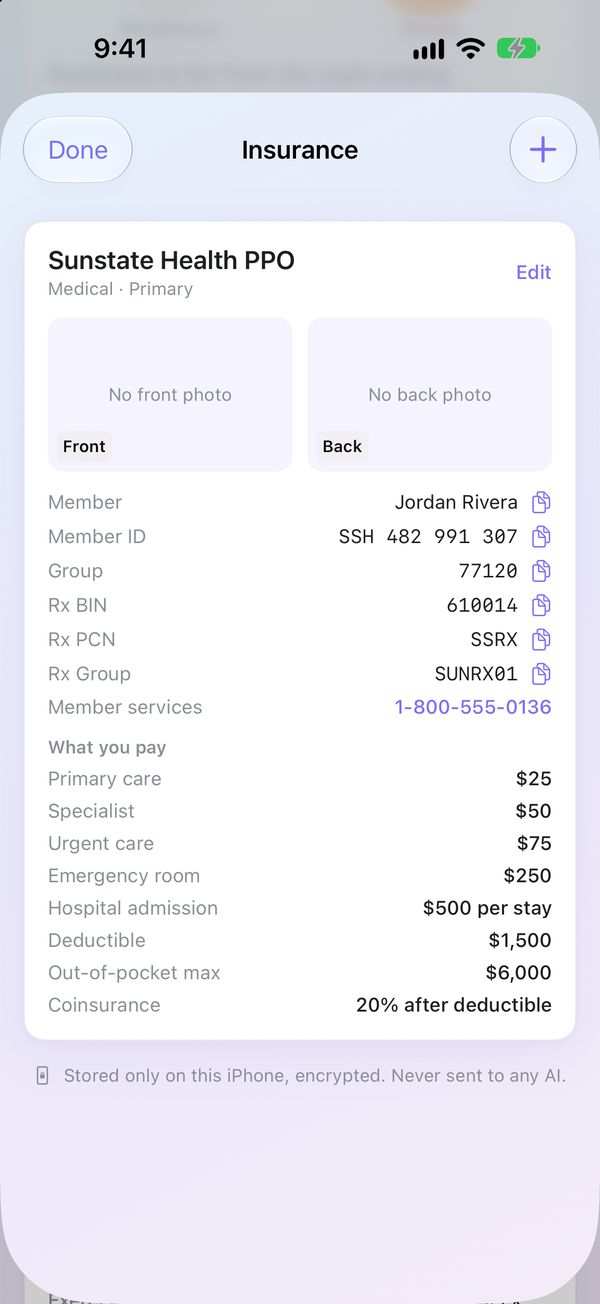
Every doctor gets a page with their number, address, your private notes, and every visit and document from them. Your insurance card and copays are one tap away at the front desk.
- Doctors near me: search providers by specialty as our directory grows
- Your location is rounded to about 6 miles on the phone before any search
- Member ID and Rx numbers copy with a tap
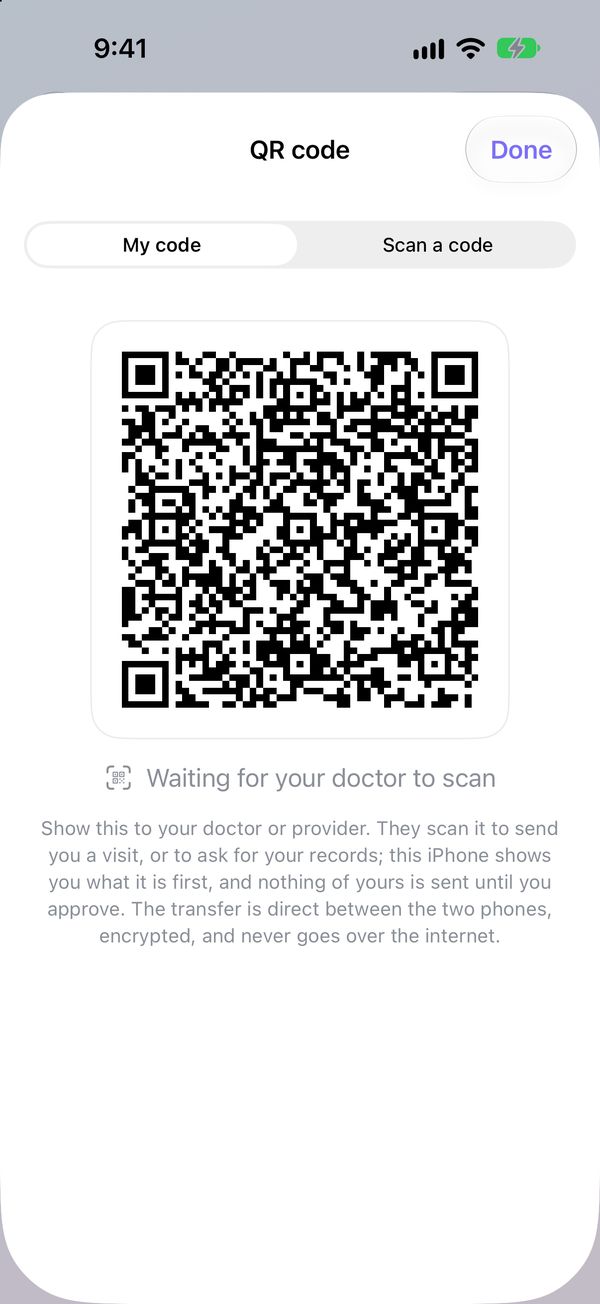
Hand your history over in seconds.
New specialist? Show your code. They scan it, and your phone shows you exactly what they're asking for before anything is sent. Doctors using the app can send you their visit summary the same way.
- Direct from phone to phone, encrypted
- Over Wi-Fi or Bluetooth, with no server in between
- Nothing of yours is sent until you approve it
Your health story stays on your iPhone.
Stored encrypted on your phone, behind Face ID. It only leaves when you choose to send or share something, and you see it first.
- Visits, transcripts, symptoms, documents and your profile are stored only on your iPhone, not on our servers, and are left out of iCloud and computer backups.
- Encrypted by iOS Data Protection, tied to your device passcode, and unreadable while the phone is locked.
- Face ID or your passcode to open the app. It locks again when you leave: after 30 seconds by default, or right away if you choose.
- Before anything goes to an AI, the phone removes the personal details it finds, and you approve the exact text.
- Sharing with a clinician goes straight between two phones, encrypted with a one-time key from the QR code.
- An account is optional. It holds only your name, email and location, never health information.
- No ads, no analytics, no tracking, and we don't sell data.
- Backups are one file locked with a password only you know.
And a lot more, quietly working for you
A medicine list that keeps up
Add medicines from a visit recap to your list in a tap, with what each one is usually for.
Screening timeline
Suggested checkups and tests for your age and conditions, and when you last had them.
Import old recordings
Already have an audio recording of a visit? Import it and get the same transcript and recap.
Provider mode
Doctors and advanced practitioners can send patients a visit straight to their phone.
Encrypted backups
Back up everything to one file locked with your password, and restore it on a new iPhone.
PDFs for your doctor
Symptom logs export with your name, date of birth and the body diagram. Visit recaps export too.
One plan. Everything included.
Try it free for 7 days. Cancel any time in your Apple Account settings.
Introductory price through Black Friday, November 27, 2026. Subscribe by then and keep $9.99 a month for as long as you stay subscribed. After that, new subscriptions are $12.99 a month.
- Recording, transcripts and recaps, in many languages
- Tell, lab report reading, Apple Health readiness and stress
- Your doctors, insurance card and sharing by QR code
- AI risk analysis and symptom assessment included, with a monthly fair-use limit
- Add your own Groq, ChatGPT or Claude key any time for unlimited use
US prices. Your free trial becomes a paid subscription unless you cancel at least 24 hours before it ends.

Walk into your next appointment ready.
The free beta is open to the first 100 people. It runs in TestFlight, Apple's app for testing new apps.
What Did the Doctor Say? helps you record and understand information from your own care. It does not provide medical advice, diagnosis or treatment. Transcripts, translations, recaps, lab readings and AI assessments can contain mistakes; you agree to what that means when you first open the app. Always rely on your clinician for medical decisions. In an emergency, call 911. Screens show a fictional patient.